
2026 Hyundai Tucson: How Does the Digital Key Sharing System Work?
The Digital Key Sharing system available on the Canadian-market new Hyundai Tucson allows authorized users to access, lock, unlock, and operate the vehicle using a compatible smartphone instead of a traditional physical key. When equipped, the system uses secure smartphone integration, encrypted digital credentials, NFC (Near Field Communication), Bluetooth communication, and user authorization controls to manage vehicle access.
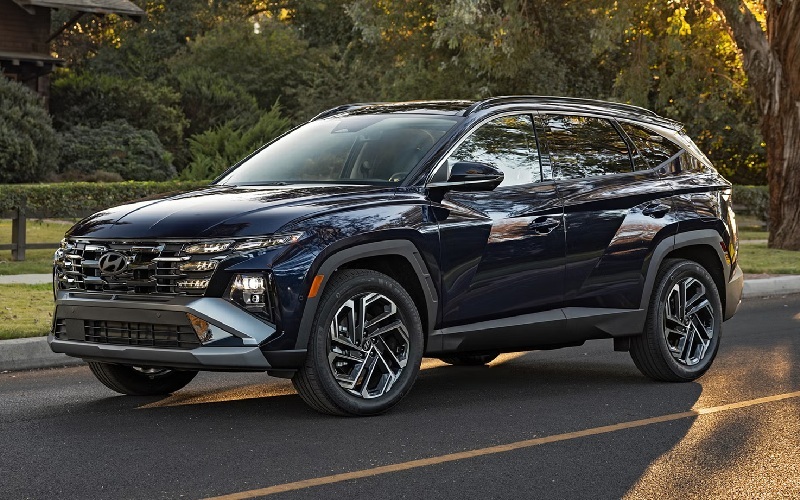
Owners can create digital keys within the Hyundai-connected ecosystem and securely share access with approved users. Different permission levels can be assigned depending on the owner's preferences. Authentication procedures verify user identity before vehicle functions become available, while security protections help prevent unauthorized access.
For Hyundai Tucson models equipped with this feature, Digital Key Sharing provides a controlled way to grant temporary or long-term vehicle access without transferring a physical key.
Main 2026 Hyundai Tucson Digital Key Components
Digital Key
The Hyundai Tucson stores a secure digital key as an electronic credential on a compatible smartphone. This digital key performs many of the same functions as a physical vehicle key. Hyundai links the digital key to the vehicle and authenticates it through its connected vehicle systems.
Smartphone Integration
Smartphone integration refers to the connection between the vehicle and a compatible mobile device. The Tucson Digital Key system relies on supported smartphone hardware and software capabilities. The smartphone stores the digital credential and communicates with the vehicle when authorized actions are requested.
NFC Communication
NFC is a short-range wireless communication technology that operates when a compatible device is placed close to a designated vehicle sensor. In the Tucson, NFC may be used for secure authentication and key transfer functions. Because NFC requires close proximity, it provides an additional layer of access control.
Bluetooth Communication
Bluetooth communication enables wireless interaction between the smartphone and the vehicle over a greater distance than NFC. The Digital Key system may use Bluetooth Low Energy (BLE) technology to detect an authorized device and support convenience features such as vehicle access and operation.
Authorization Management
Authorization management controls who can use the digital key. The vehicle owner can assign, modify, or revoke digital access privileges through supported Hyundai services and applications.
Authentication System
Authentication is the process used to verify user identity before granting vehicle access. The Tucson Digital Key system combines device verification, user credentials, encrypted communication, and vehicle-side validation to confirm authorization.
Remote Access Functions
Remote access features allow approved users to perform selected vehicle functions through connected services. Availability depends on equipment level, mobile device compatibility, account configuration, and network connectivity.
How It Works
Initial Setup
Digital Key operation begins with owner registration. The primary vehicle owner links the Hyundai Tucson to a compatible Hyundai account and compatible smartphone. During setup, secure digital credentials are created and associated with both the vehicle and the registered device. The registration process typically includes account authentication, smartphone verification, and vehicle authorization procedures. Once setup is completed, the smartphone can function as an approved digital key.
Digital Key Authorization
Authorization is the process of granting permission for a device to act as a vehicle key. The owner initiates authorization through the supported Hyundai digital platform. The system verifies account credentials and establishes a trusted relationship between the smartphone and the Tucson. The vehicle stores the information required to recognize authorized digital keys while maintaining security controls that prevent unauthorized devices from accessing it.
Sharing Access With Other Users
One of the defining features of the Tucson Digital Key system is digital key sharing. Instead of physically handing over a key, the owner can transmit digital access privileges to another approved user. The shared user receives authorization through a compatible smartphone. The process is managed electronically and typically requires both parties to meet compatibility and account requirements. Shared access can be configured according to predefined permission settings.
User Permissions
User permissions determine what actions a shared user may perform.
Depending on system capabilities, permissions may include:
Full vehicle access
Limited-duration access
Temporary guest access
Revocable access authorization
Restricted operational privileges
Permission management allows the owner to maintain control over vehicle access while reducing the need for physical key distribution.
NFC Authentication Procedure
When NFC communication is used, the smartphone is positioned near the designated NFC interaction area.
The authentication sequence generally includes:
Detection of the smartphone
Exchange of encrypted credentials
Verification of authorization status
Vehicle approval of access request
Execution of requested function
Because NFC requires very close-range operation, attempts at unauthorized access from a distance are significantly limited.
Bluetooth Authentication Procedure
Bluetooth-based operation uses wireless communication between the smartphone and the vehicle.
The authentication process typically includes:
Device discovery
Encrypted communication establishment
Credential validation
Vehicle-side authorization check
Access approval
Bluetooth enables the Tucson to recognize authorized devices while maintaining security controls that prevent unauthorized operation.
Vehicle Access and Operation
After successful authentication, the digital key can support vehicle access functions.
Depending on equipment configuration, authorized users may be able to:
Unlock doors
Lock doors
Access the cargo area
Enable vehicle startup procedures
The exact functionality depends on the Tucson installed equipment and Digital Key configuration.
Remote Access Features
Remote access functions expand the capabilities of Digital Key technology. When properly supported and configured, connected services may allow users to perform approved vehicle actions remotely via a compatible mobile application.
Examples may include:
Remote lock commands
Remote unlock commands
Vehicle status checks
Access management functions
Digital key administration
Remote functionality generally requires an active connection between the vehicle, smartphone, and Hyundai-connected infrastructure.
Connectivity Requirements
Digital Key Sharing depends on several connectivity elements.
Typical requirements include:
Compatible smartphone hardware
Supported mobile operating system
Hyundai user account
Vehicle connectivity services
Bluetooth capability
NFC capability when required
Active data connection for certain remote functions
Loss of one or more connectivity elements may affect the availability of specific Digital Key features.
Maintenance Considerations
Keep Smartphone Software Updated
Operating system updates help maintain compatibility and security. Owners should install approved software updates on devices used for Digital Key operation.
Maintain Account Security
Strong account security supports Digital Key protection.
Recommended practices include:
Unique passwords
Multi-factor authentication when available
Secure device access controls
Regular account reviews
Monitor Shared Authorizations
Owners should periodically review active shared users. Access permissions that are no longer required should be removed to reduce unnecessary exposure to authorization.
Verify Connectivity Functions
Bluetooth, NFC, and mobile data services should remain operational for optimal Digital Key performance. Changes to smartphone settings may affect communication with the Tucson.
Replace Lost or Upgraded Devices Properly
If a smartphone is lost, replaced, or transferred to another person, associated digital key permissions should be reviewed and updated. Revoking access to old devices helps maintain vehicle security.
Follow Hyundai Software Updates
Vehicle software updates may improve Digital Key functionality, compatibility, and security protections. Owners should follow the manufacturer's recommendations for software maintenance when applicable.
Southtown Hyundai may provide information on software updates and the availability of the Digital Key feature for specific vehicle configurations.
2026 Hyundai Tucson FAQ
What is the Digital Key Sharing system in the 2026 Hyundai Tucson?
The Digital Key Sharing system allows authorized users to access and operate the vehicle using a compatible smartphone that contains an approved digital key credential.
How does the Tucson verify an authorized digital key?
The vehicle uses authentication procedures that involve encrypted credentials, account verification, device recognition, and secure communication via NFC and/or Bluetooth.
Can the owner share a digital key with another driver?
Yes. If equipped, the system allows the owner to electronically authorize additional users and assign access permissions through supported Hyundai digital services.
Does Digital Key Sharing require internet connectivity?
Some remote access functions may require active network connectivity. Local NFC and Bluetooth interactions may operate differently depending on vehicle and device configuration.
What happens if access permissions need to be removed?
The vehicle owner can revoke digital authorization through the appropriate Hyundai account management tools, preventing the shared user from continuing to use the digital key.
*Disclaimer: Content contained in this post is for informational purposes only and may include features and options from US or internacional models. Please contact the dealership for more information or to confirm vehicle, feature availability.*


